
Buying TikTok Coins from Russia starts with checking the account, not with searching for the lowest price. Coins are tied to a TikTok profile, while the available payment route depends on the country, app store, and TikTok's current rules. Skipping this check can mean paying for the wrong profile or wasting time on a method that does not work in your region.
Need TikTok Coins? Open the TikTok top-up page on OGPixelPay. The service works with users in Russia who cannot officially purchase Coins: after the order is placed, a service specialist signs in to the user's account and buys the Coins directly for that profile.
What are TikTok Coins?
Coins are TikTok's virtual units. They are mainly used to send gifts to creators during LIVE: when you choose a gift, the displayed number of Coins is deducted from your balance. Coins are not a bank balance and are not a general-purpose currency that can be withdrawn to a card.
According to TikTok's official help, users must be at least 18 to buy Coins and use gifts. Some features, including gift cards and purchases through the website, depend on location. That is why instructions from another region may not match the menus shown on your phone.
Available ways to buy Coins
TikTok offers several official routes. In the app, open your profile, then the menu, Balance, and the option to get Coins. After choosing a package, payment goes through an available app store method, such as Google Play or the App Store, if that option is enabled for your account.
In supported countries, Coins can also be purchased through TikTok's website at tiktok.com/coin. The site shows the packages available to you and lets you continue with an eligible payment method. TikTok also has a gift-card redemption page at tiktok.com/coin/redeem, but this option is not available everywhere.
For users in Russia, treat the word “available” literally: it should mean the result shown for your account and current payment screen, not a promise for the country as a whole. In 2026, conditions may change after an app update, a change to the account region, or a change in payment-provider rules.
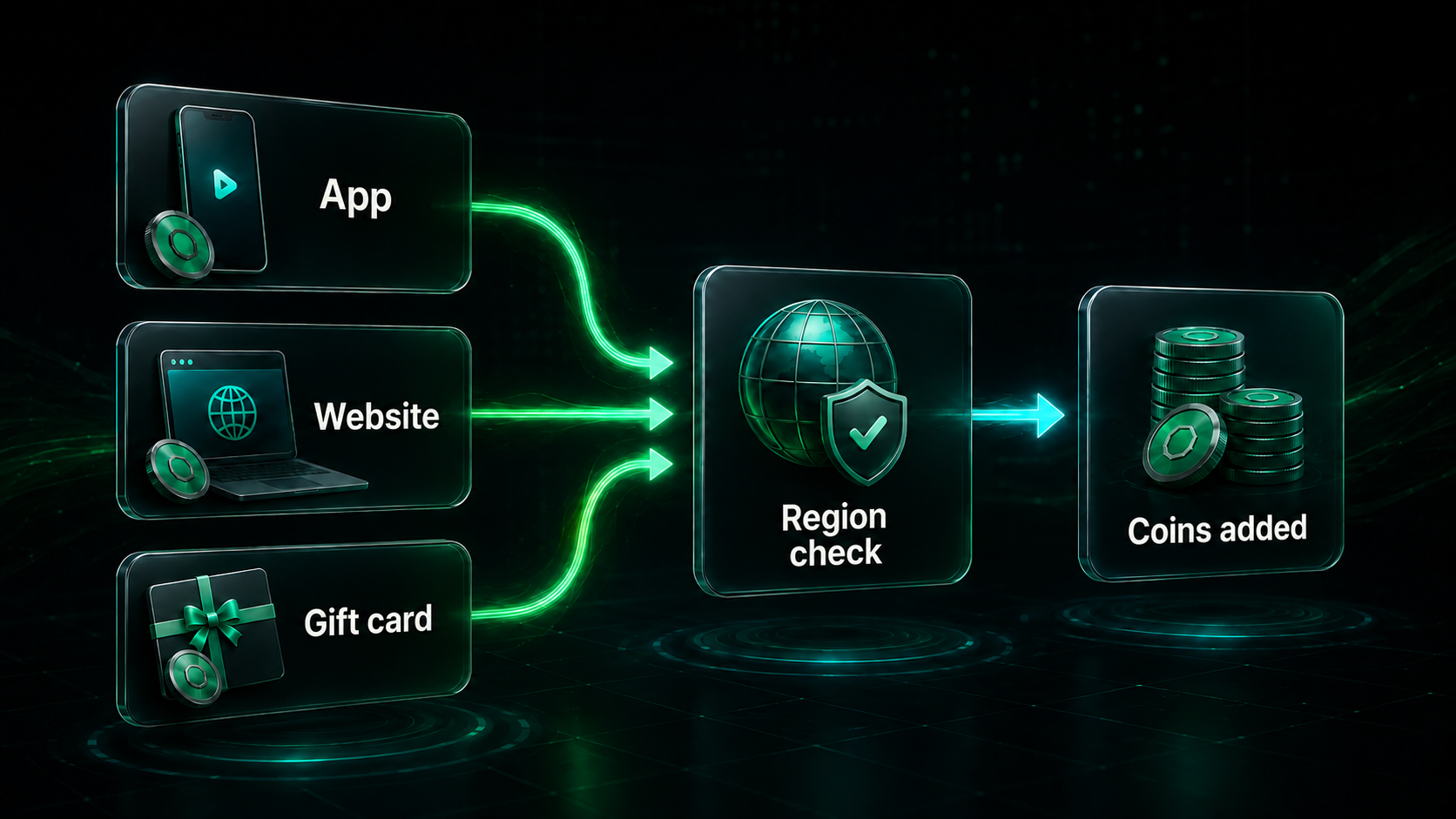
Flow: Coins package → account check → payment → balance check.
How to prepare for a purchase
Start by opening the profile that should receive the Coins. Check the username and do not switch between accounts during checkout. If the order is completed through OGPixelPay, the service signs in to that specific account and buys the Coins for it, so verify the profile before paying.
Next, choose the payment route that is actually shown for your region. Do not rely on old screenshots with someone else's prices or decide that a method is available based on one video. The package price, currency, and payment methods may depend on the platform, country, and individual account.
Before paying, check three things:
- your age and access to Coins and Gifts features;
- the TikTok profile that should receive the top-up;
- the final amount and payment method on the last screen.
An OGPixelPay order requires account access. Before placing the order, change your current password to a random temporary password. After the Coins arrive, set a new password immediately. Send login details only to OGPixelPay support through the current order. Do not send your password or 2FA code to anyone else. A 2FA code may be needed after payment to confirm the sign-in; if requested, send it only to support within that order.
Top up TikTok Coins through OGPixelPay
OGPixelPay is a top-up service for users who cannot access the official Coins purchase route. After payment, a service specialist signs in to the user's account and completes the purchase on the user's profile. This can help when the required payment method is not shown in the app, but the security procedure still matters.
Before ordering, check the product card, selected package, and profile details. The current OGPixelPay flow uses an email address and a temporary password; a 2FA code may be requested after payment to confirm the sign-in. The service page also states that login data are not saved after the top-up and that a refund is available if the order cannot be completed.
If the official payment route is unavailable, open the TikTok Coins page on OGPixelPay. Choose an available package, check the region, order fields, and final conditions, then place the order through the service page. In some cases, buying through OGPixelPay may cost less than the official option, so compare the current price before paying.
Prices and available packages can change. Check the latest offers on the OGPixelPay website and verify the final amount immediately before placing the order.
The process looks like this:
- choose the required Coins amount and pay for the order using a convenient method;
- send your email and temporary password to OGPixelPay support through the current order;
- if requested, confirm the sign-in with a 2FA code after payment;
- check your balance after the Coins arrive and change the password again.
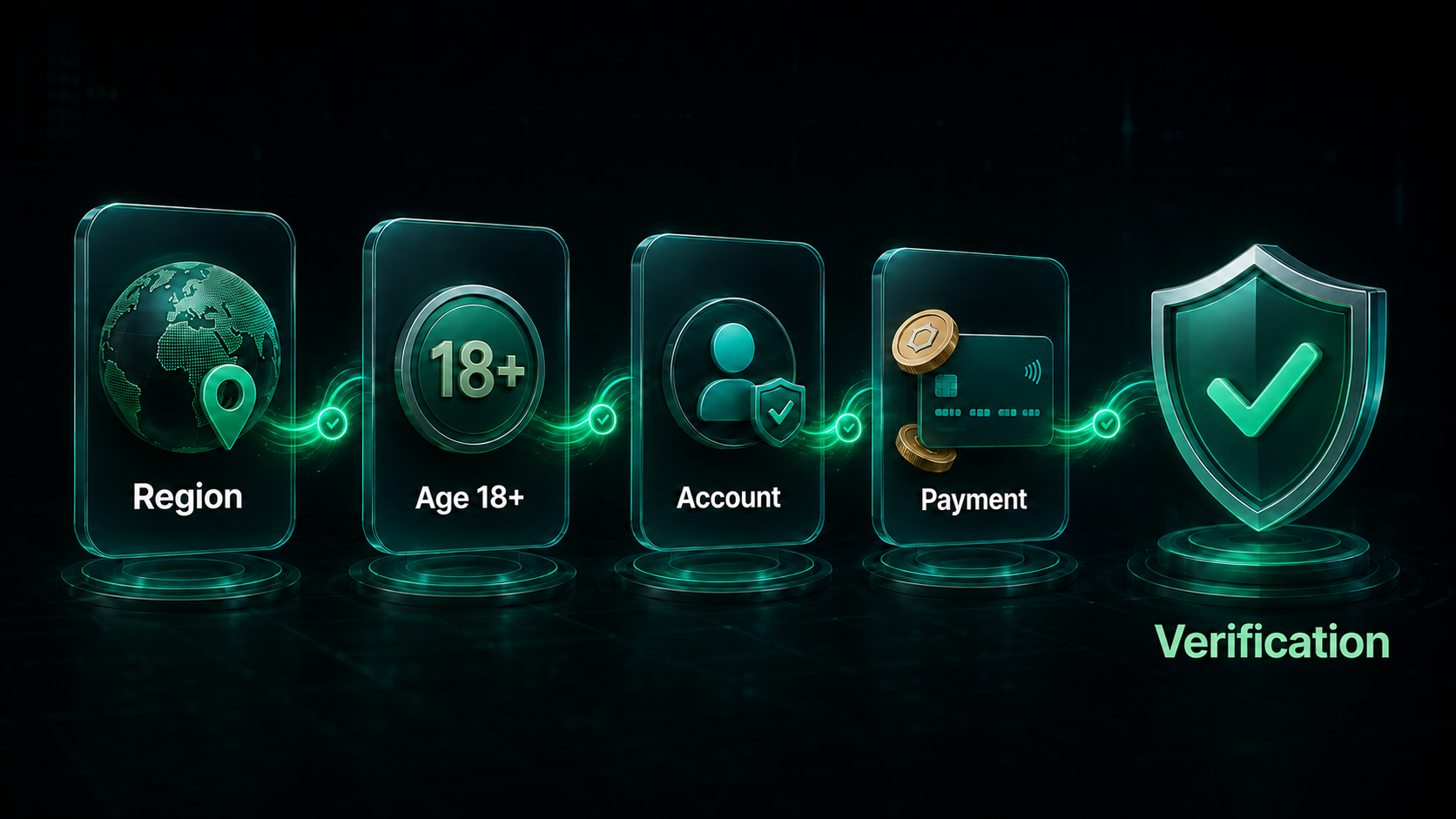
Before payment, checking the profile and region matters more than chasing a promise of the lowest price.
What to do if the Coins do not arrive
Do not place a second order immediately. First save the receipt, order number, and payment time. Then check the balance in the same TikTok account that was used for the order. Sometimes the issue is not a delay but a different profile being open.
If you paid through an app store or TikTok's official website, contact the relevant platform and TikTok support with proof of payment. If the order was placed through OGPixelPay, first open the order status and contact the service through its stated support channel. Do not change your login details while support is investigating the current order. After the Coins arrive, replace the temporary password and review active sessions.
Check these common causes in order:
- the same TikTok account is open;
- the payment was not cancelled or refunded;
- the package in the receipt matches the selected package;
- Gifts or Coins are not disabled for this account or region;
- the payment provider or the seller needs to be contacted.
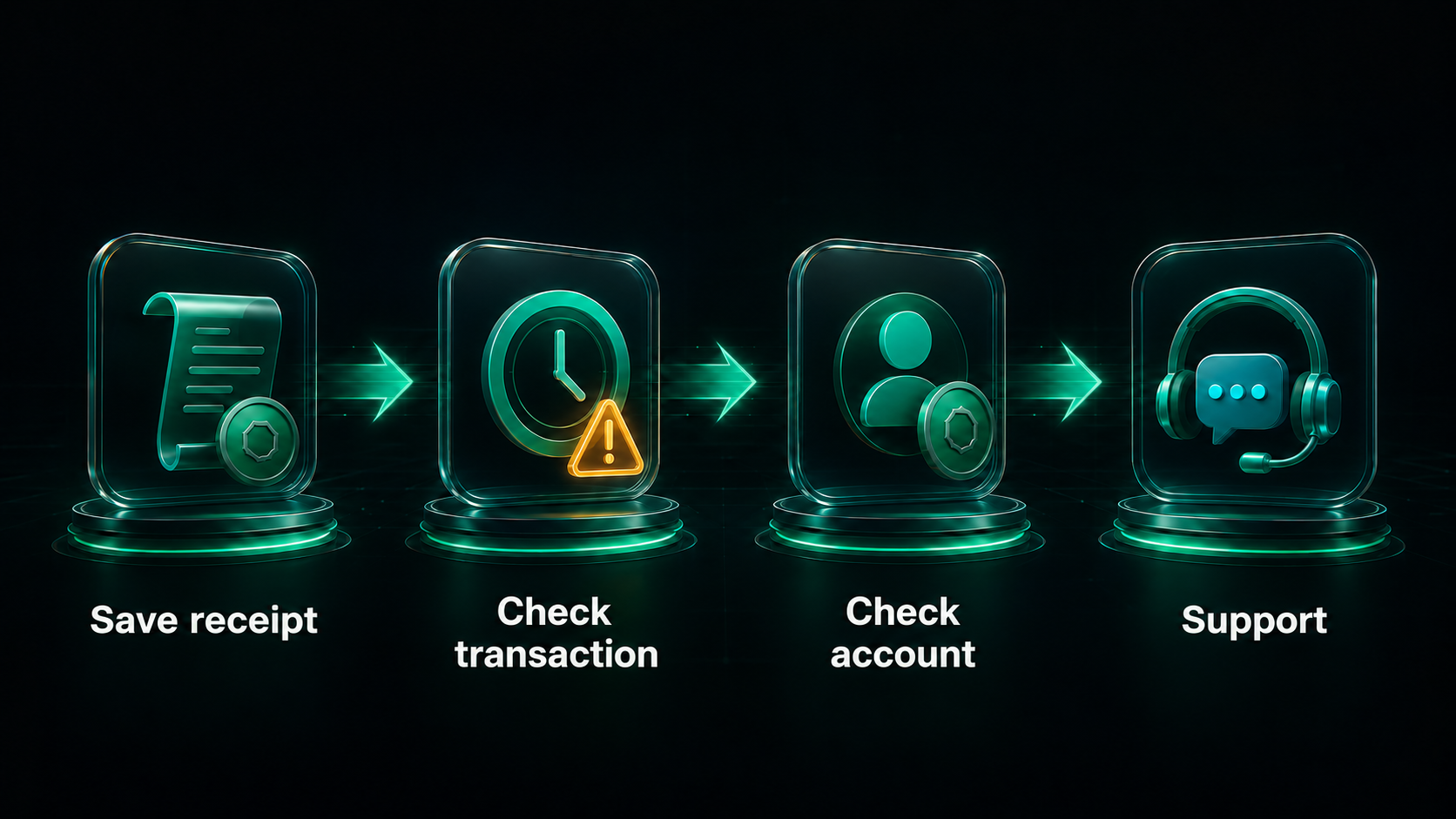
If the balance has not changed, check the account and receipt before paying again.
Security and limitations
When a service signs in to the user's account, security depends on following the procedure. Set a random temporary password before payment, send the email and password only to OGPixelPay support, and change the password again as soon as the Coins arrive. Send a 2FA code only if support requests it after payment and only within the current order.
Do not buy Coins in advance from an unknown seller. TikTok's rules for virtual items may limit refunds and feature access, and Gifts are not available in every LIVE. No outside seller can guarantee that a feature will appear after changing a VPN, region, or device. Those actions may trigger additional account checks and do not replace an official payment method.
If your goal is to support a creator, check that the Gifts button is visible during that particular LIVE. If it is missing, the reason may be the LIVE settings, country, or age restriction rather than a zero Coins balance.
Ready to top up? Open TikTok Coins on OGPixelPay, compare the current price with the official option, choose the required package, and place the order after checking the account details.
Quick answers
Can I buy TikTok Coins in Russia in 2026?
It depends on the account region, app, website, and payment method available at that moment. Check the available route immediately before paying; there is no single promise that applies to every account.
Where can I buy TikTok Coins?
TikTok's official help lists the app, the website in supported countries, and gift cards where they are available. If you use a top-up service, check its current product card and order conditions.
Do I need to provide my TikTok password?
For a TikTok top-up through OGPixelPay, an email and password are needed so the specialist can sign in and buy Coins for the correct profile. Change the password to a random temporary one before ordering, send it only to OGPixelPay support through the order, and set a new password after the Coins arrive. Do not send it in an open chat or to anyone except service support.
Do I need to provide a 2FA code?
A 2FA code may be needed after payment to sign in. Send it only to OGPixelPay support through the current order and never publish it in a group chat. After the order is complete, change the temporary password and review active sessions.
Why are Gifts unavailable in a LIVE?
TikTok does not show Gifts in every LIVE. Check the feature availability, account age, and region.